

Want to test out some new looks on your face before actually doing it? Well, Instagram’s AR filters can help a bunch to let you visualize what you might look like virtually.
These facial filters have become increasingly popular on the platform as they allow users to add a layer of experimentation without risking a change you might regret to your appearance.
Look no further, my friend, because I have scoured the depths of Instagram to bring you the 10 best AR filters out there!
How do you add custom effects on Instagram?

Filter effects can only be used on the Instagram mobile app when you post IG stories.
Visit the Instagram filter effect creator profiles we’ve listed below, and navigate to their effects tab to see what filters they have created for Instagram.
Find the effect you want and click into it and click try it to save it to your Instagram camera filters.
Alternatively, you can go to the Stories, swipe on the effects icons all the way to the right till you find ‘Browse effects’, then search for the relevant filter you want.
Here are some great filters you can use to test changing your appearance using Instagram!
1. Colored hair from @nessa_iwata
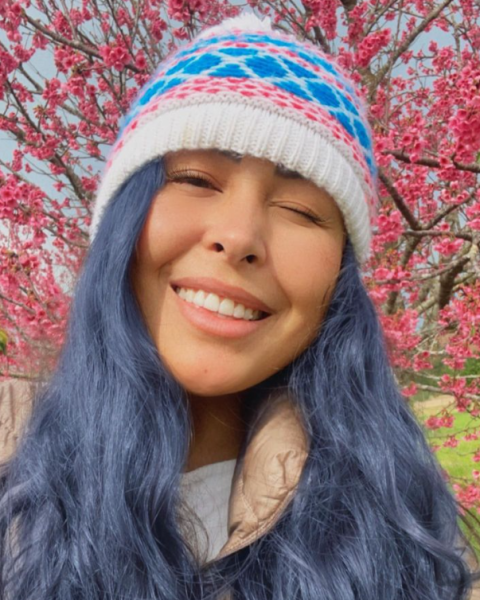
If you’ve wondered how you would look like bleaching your hair and dying it a bright neon color, here’s a filter for you to test it out. The results are amazingly realistic, blending with your current color.
To achieve such bright colors, it is going to cost money, and time and potentially dry out your hair, so think carefully be previewing what you would look like!
2. Cute Eye lenses from @lazy777
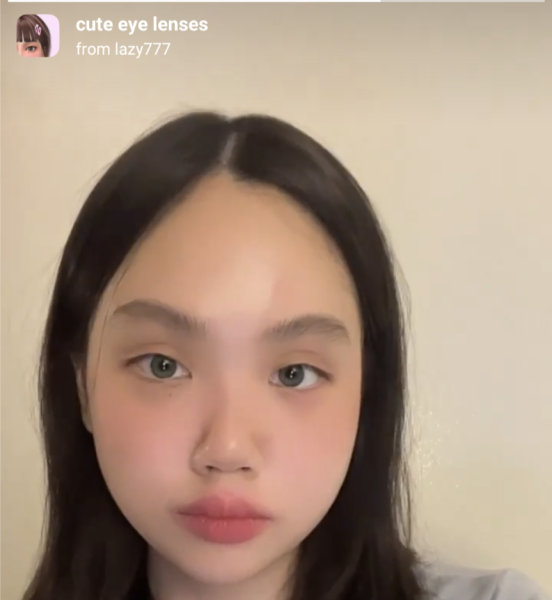
Thinking of buying colored contact lenses? What color should you go for to change your eye color? Here’s a filter that will help.
With tones of green, blue, and brown I like the fact that the AR creator has made it pretty natural and not exaggeratingly too bright. Other lens filters also like to add too many extra facial filters like throwing in freckles and whatnot. This filter keeps it clean and easy to use by tapping on screen to change colors.
3. Piercing from @nelzster01

Considering the idea of getting a fresh piercing but uncertain about its appearance? Interested in flaunting a stylish eyebrow piercing but worried about your parents’ reaction? Eager to have a septum piercing but concerned about the associated discomfort? You can now explore these possibilities with confidence.
Tap through the filter on specific spots on your face to try on alternate piercings for the same location. There are currently three colour options for your new piercing- black, silver and gold. To change the colour of the piercing, just tap and hold onto the piercing.
4. Cream lip stain from @sephoracollection
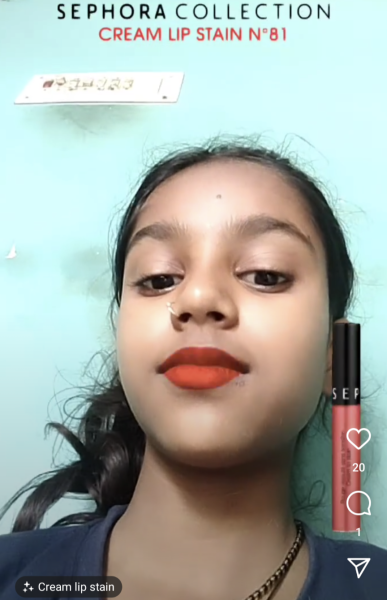
Admittedly, this is not the most natural-looking lip color filter, however, there’s a large variety of real lip stain tones which are actually sold by Sephora. So if you see something you like, you can actually purchase it! Use this filter to see how each shade fits your skin tone, then go get it.
5. Try Our Lashes from @magnxlashes
This is another filter made by a magnetic eyelash brand MAGNX LASHES to simulate what it’s like with their products, but it does provide a few variants for you to check out rather than having to scroll through multiple eyelash filters. There are a few eyelash looks with various lengths and lash counts you can try out here, but the effect is best aligned when you look up or hold the camera lower. Test it out, buy from them, or don’t.
6. Good skin from @dingmintt
There are a load of built-in beauty filters, but if you want one for creating Instagram stories, this one by @dingmintt is pretty good. There are 6 variations to choose from, and even 2 that simulate sunny conditions. As someone with bad complexion, I say this truly works as naturally as it can be without overdoing it. There’s some changes in lip colors and all, but overall your should be able to do a story with the smoothest of complexions as if you were using mascara.
7. FaceTattoo from @dantattoomann

Tattoo artist Dan has a bunch of face tattoo filters which you can find from the effects tab on his profile. If you have considered getting a Mike Tyson face tattoo for example, and not judging, but you might want to try out the AR filter before actually getting one.
I mean, even tattoo removals aren’t going to completely erase this decision, and any cover-ups are going to just expand the tattoo area. So think carefully and test first!
8. Beards and tattoo from @jhonyaugust
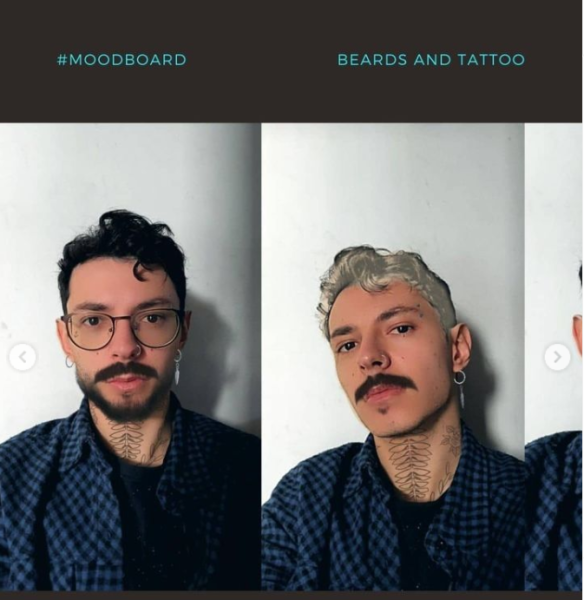
User jhonyaugust has a great filter to dry on a full on mustache and beard. It also comes with the option of enabling a couple of earrings, a nose ring and a neck tattoo but that’s not the main draw.
If you’ve wondered what you might look like growing out a full moustache and beard, just click on the chin region and the upper lip region after enabling the filter to have a preview.
There you have it, some awesome AR filters on Instagram to test out your looks! Try it first before you regret doing it.
Author

Get the latest updates by following us on Twitter @hypeandstuff & Facebook Have an interesting story to share? Email us at [email protected]